
Push Down Vegetable Chopper Cutting Sizes Explained

Quick Answer
A push down vegetable chopper cuts vegetables according to the size and shape of its installed blade grid. Common manual models offer small dice around 6–8 mm and larger dice around 12–14 mm, although available sizes vary by model. Check the manufacturer’s specifications for the exact cutting dimensions, and remember that the food’s firmness and preparation can affect how evenly it passes through the blades.
What Cutting Sizes Does a Push Down Vegetable Chopper Make?
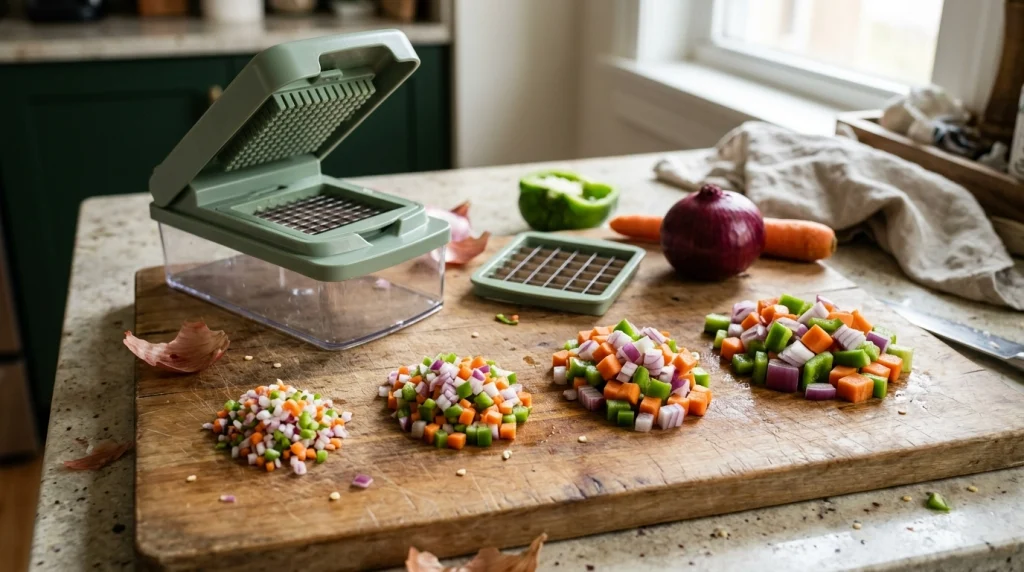
A push down vegetable chopper can produce small, medium, or large pieces, depending on the cutting grid fitted to the tool. Unlike a hand-operated chopping blade that relies on repeated cutting motions, a grid-style chopper uses intersecting blades to divide food into a predetermined pattern.
There is no single cutting size shared by every model. Some choppers include one dicing grid, while others provide interchangeable inserts for preparing ingredients in different sizes.
For example, manufacturer specifications and instruction manuals for some manual choppers describe grids measuring approximately 6 × 6 mm, 8 × 8 mm, 12 × 12 mm, or 14 × 14 mm. These are examples of available configurations, not universal industry standards.
- Small dice: Useful when you want relatively fine pieces for salsa, omelets, and finely chopped vegetable mixtures.
- Medium dice: A practical choice for everyday cooking, including many salads, soups, and stir-fry preparations.
- Large dice: Suitable when a recipe benefits from more substantial vegetable pieces, such as chunky stews or roasted vegetable preparations.
These descriptions are practical categories rather than fixed measurements. Always use the actual dimensions provided for your chopper instead of assuming that every product labeled small, medium, or large produces identical pieces.
How Does the Blade Grid Determine the Cutting Size?
The blade grid determines the approximate width and shape of the pieces produced when vegetables are pressed through it. Intersecting cutting edges divide the food into sections as the lid moves downward.
A grid with smaller openings generally produces smaller dice, while a grid with larger openings generally produces larger dice. The size of the openings and the arrangement of the blades are therefore more useful indicators than the overall dimensions of the chopper itself.
What Does a Measurement Such as 8 × 8 mm Mean?
A specification of 8 × 8 mm describes a nominal square cutting pattern with sides approximately 8 millimeters long. In inches, that is about 0.31 × 0.31 inches.
Similarly, a 12 × 12 mm grid corresponds to approximately 0.47 × 0.47 inches. The larger grid is intended to create larger pieces than the smaller one, assuming the grids are designed for comparable cutting functions.
These measurements describe the intended cut dimensions, not the size of the complete blade insert, its outer frame, or the vegetable pieces you must place on top. A grid’s outer frame can be considerably larger than its individual openings.
Does a Push Down Chopper Always Produce Perfect Cubes?
No. A square grid is designed to produce roughly cube-shaped pieces, but the actual results depend on the ingredient and how it passes through the blades.
Firm vegetables with a relatively even texture generally retain their shape better than very soft or overripe ingredients. A soft tomato, for example, may compress or release juice instead of separating into neat, uniform cubes.
Also, the food’s starting shape matters. A grid cannot make every piece perfectly uniform if the vegetable is irregular, too large for the cutting area, or positioned unevenly.
Which Cutting Size Should You Choose for Different Foods?
Choose the grid according to the size you want in the finished dish, rather than selecting the smallest blade simply because it appears more precise. Smaller pieces are useful when ingredients need to blend into a mixture, while larger pieces provide more texture and remain easier to distinguish.
| Cutting option | Approximate example | Typical use |
|---|---|---|
| Fine dice | 6–8 mm | Salsa, finely diced onions, omelets |
| Medium dice | Around 10–12 mm | Everyday vegetable mixtures and many soups |
| Large dice | Around 12–14 mm or larger | Chunkier preparations and hearty stews |
The measurements are illustrative examples of common grid sizes, not a guarantee that a particular chopper offers all three options. Recipe requirements and cooking methods should guide your choice.
For Onions, Peppers, and Tomatoes
A fine or medium grid is often useful for onions and bell peppers when preparing fillings, chopped salads, or sauces. A larger grid makes sense when you want the vegetables to remain more noticeable in the finished dish.
Tomatoes require more care because ripe flesh can be soft. Use a suitable, sharp grid and a tomato that is firm enough to hold its shape; do not force a very soft tomato through the blades.
For Potatoes, Carrots, and Other Firm Vegetables
Firm vegetables may require more effort to cut than onions or peppers. Cut them into manageable pieces that fit within the chopper’s working area, and select a grid intended for that type of food.
Do not assume a smaller grid is always better. If the tool struggles with a hard vegetable, changing to a larger grid or preparing smaller, appropriately shaped portions may be more practical. Follow the product’s instructions and never force the lid beyond its normal movement.
How Can You Get More Consistent Vegetable Pieces?
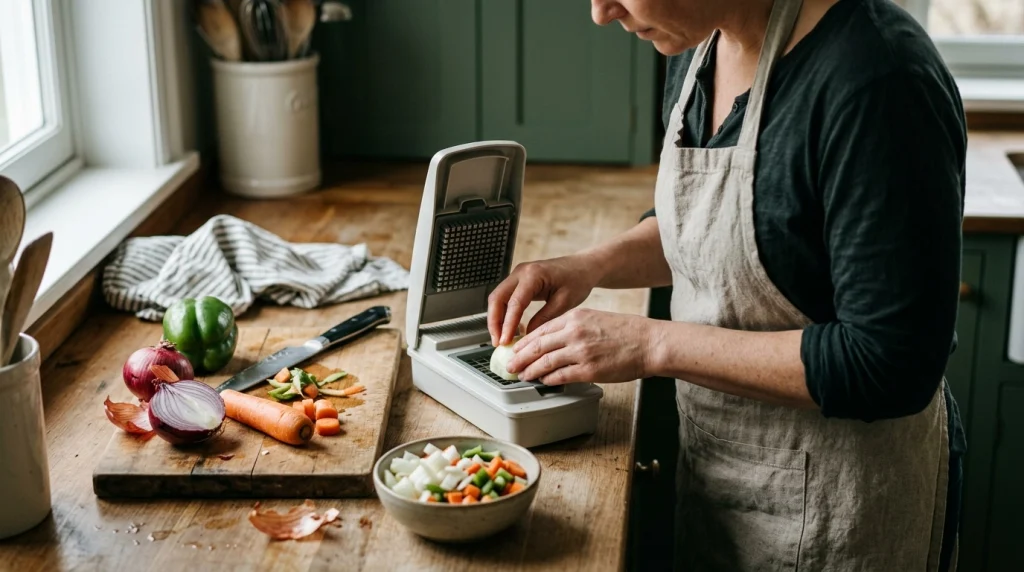
The blade grid controls the intended cut size, but preparation and technique influence the final result. A correctly selected grid will not compensate for oversized ingredients, an improperly installed insert, or food that is too soft to retain its shape.
- Wash and prepare the vegetables. Rinse fresh produce under running water, remove unwanted stems or damaged areas, and peel vegetables when the recipe calls for it.
- Check the cutting insert. Confirm that the selected grid is designed for the cut you want and is securely installed according to the manufacturer’s instructions.
- Make the vegetable fit the cutting area. Trim large or irregular pieces so they sit within the grid without overlapping the frame or extending beyond the working area.
- Position the food evenly. Place it over the cutting grid so the pressing lid can move straight down without the ingredient rolling or slipping sideways.
- Press using the intended motion. Keep your fingers away from the blades and follow the instructions for your model. Use firm, controlled pressure without forcing a jammed mechanism.
- Inspect the result. If pieces are uneven, check the preparation, grid installation, and ingredient texture before assuming that the cutting size is incorrect.
These steps help reduce avoidable inconsistencies. They do not guarantee identical results with every vegetable, because produce varies naturally in firmness, moisture, and shape.
Tip
For repeatable results, use vegetables of similar firmness and prepare them to fit the grid before pressing. If the finished pieces are too large for your recipe, check whether a finer insert is available rather than repeatedly forcing the same batch through the chopper.
Why Are the Pieces Larger or More Uneven Than Expected?
If a push down vegetable chopper produces pieces that appear too large or inconsistent, identify whether the problem comes from the selected grid, the food, or the way the tool is assembled.
- The wrong grid is installed. A larger dicing insert cannot produce the same small pieces as a finer grid. Check the insert’s dimensions or model documentation.
- The vegetable is irregular. Large, curved, or uneven pieces may not pass through the grid uniformly. Trim them to fit the cutting area.
- The ingredient is too soft. Overripe produce can flatten, split, or release juice instead of retaining a clean diced shape.
- The blades or insert are damaged. Bent blades, loose parts, or a poorly seated insert can affect cutting performance. Stop using the tool if it appears damaged.
- The food is too firm for the setup. Some vegetables may not be suitable for a particular grid or manual mechanism. Follow the model’s guidance rather than applying excessive force.
If the grid is correct and the ingredients are properly prepared, but the tool still struggles, stop and inspect it according to the manufacturer’s instructions. Do not put your fingers into the grid to clear trapped food while the cutting parts are exposed.
Are Cutting Size, Blade Size, and Food Piece Size the Same?
No. These terms describe different measurements, and confusing them can lead to the wrong expectations about a chopper’s performance.
- Cutting size: The intended dimensions of the pieces produced by the cutting grid, such as 8 × 8 mm.
- Blade-grid size: The dimensions of the complete insert or its cutting area, which determine how much food can be processed in one press.
- Food piece size: The dimensions of the raw vegetable portion placed on the grid before cutting.
For example, a chopper may have a broad cutting insert containing many small square openings. The insert can accommodate a relatively large piece of onion, yet the resulting dice may still be only several millimeters wide.
When comparing specifications, look for the stated cut dimensions rather than relying on product photographs, the container’s capacity, or the overall size of the appliance.
How Should You Handle and Clean Different Cutting Grids?
Cutting grids have sharp edges, even when they look small or are housed inside a plastic frame. Handle removable inserts by their designated edges or frame, and keep fingers away from the cutting surfaces during assembly, use, and cleaning.
After preparing vegetables, disassemble the chopper only as directed by its manufacturer. Remove food residue using the supplied cleaning tool or another method specifically recommended for that model, rather than wiping across sharp blades with bare fingers.
Wash the food-contact parts according to the care instructions, then rinse and dry them as appropriate before storage. Do not assume every insert is dishwasher-safe simply because the container is made of plastic.
Food preparation hygiene matters regardless of the cutting size. The U.S. government’s FoodSafety.gov guidance on cleaning produce and kitchen utensils recommends rinsing fresh fruits and vegetables under running water and washing food-contact utensils and surfaces appropriately.
Warning
Never push food through a grid with your fingertips or reach into an exposed blade assembly to remove stuck pieces. Stop using the chopper, follow its safe disassembly instructions, and use the recommended cleaning tool to clear residue.
Frequently Asked Questions
What is the most common push down vegetable chopper cutting size?
There is no universal cutting size. Some models offer grids around 6–8 mm for smaller dice, while others offer larger grids around 12–14 mm. Check the specifications for your particular chopper.
Does a 12 mm vegetable chopper make 12 mm cubes?
A grid specified as 12 × 12 mm is designed for approximately 12 mm square cuts. Actual pieces may vary with vegetable shape, firmness, and how the food passes through the blades.
Is a smaller cutting grid better for onions?
A smaller grid is useful when you want finely diced onions for fillings, salsa, or similar preparations. A larger grid is more suitable when you want the onion pieces to remain noticeable in the finished dish.
Can a push down vegetable chopper cut carrots into small dice?
Some models can cut carrots, but firm carrots may require more effort than softer vegetables. Prepare the carrot to fit the cutting area and use only a grid and technique permitted by the manufacturer.
Why does my vegetable chopper make uneven pieces?
Common reasons include an unsuitable grid, irregular vegetable pieces, soft produce, or an insert that is not seated correctly. Check these factors before assuming the blade’s stated cutting size is inaccurate.
Can I change the cutting size without replacing the blade grid?
Usually not with a fixed-grid push-down chopper. The grid determines the intended cut dimensions, so a different size generally requires a compatible alternative insert. Follow your model’s instructions.
Conclusion
The cutting size of a push down vegetable chopper depends primarily on its installed blade grid. Smaller grids are useful for fine dice, while larger grids create more substantial vegetable pieces for recipes that need extra texture.
Before choosing a grid, check its stated dimensions, consider the vegetables you prepare most often, and make sure the food fits the cutting area. If the results are uneven, inspect the insert, ingredient texture, and preparation technique before applying more pressure. Correct grid selection and careful handling are the keys to getting useful, consistent cuts from a manual vegetable chopper.
